
All your projects, one list
Every project with a running light and its addresses. Start, stop, edit, hand to your AI, hide or trash it in one click, and filter or sort the list however you like.
RUNS ON YOUR OWN MACHINE · YOUR AI, YOUR CODE
Zeltro is a do-it-yourself dev platform for your own computer. Start a project from an idea, a framework or a ready-made app, let your own AI agent build it, and run a whole stable of projects from one window.
It works with the tools people already use — WordPress, Laravel, Django, Next.js and many more — plus 214 ready-to-run apps like Nextcloud, Grafana and n8n. The app speaks eight languages, and so do the AI agents.
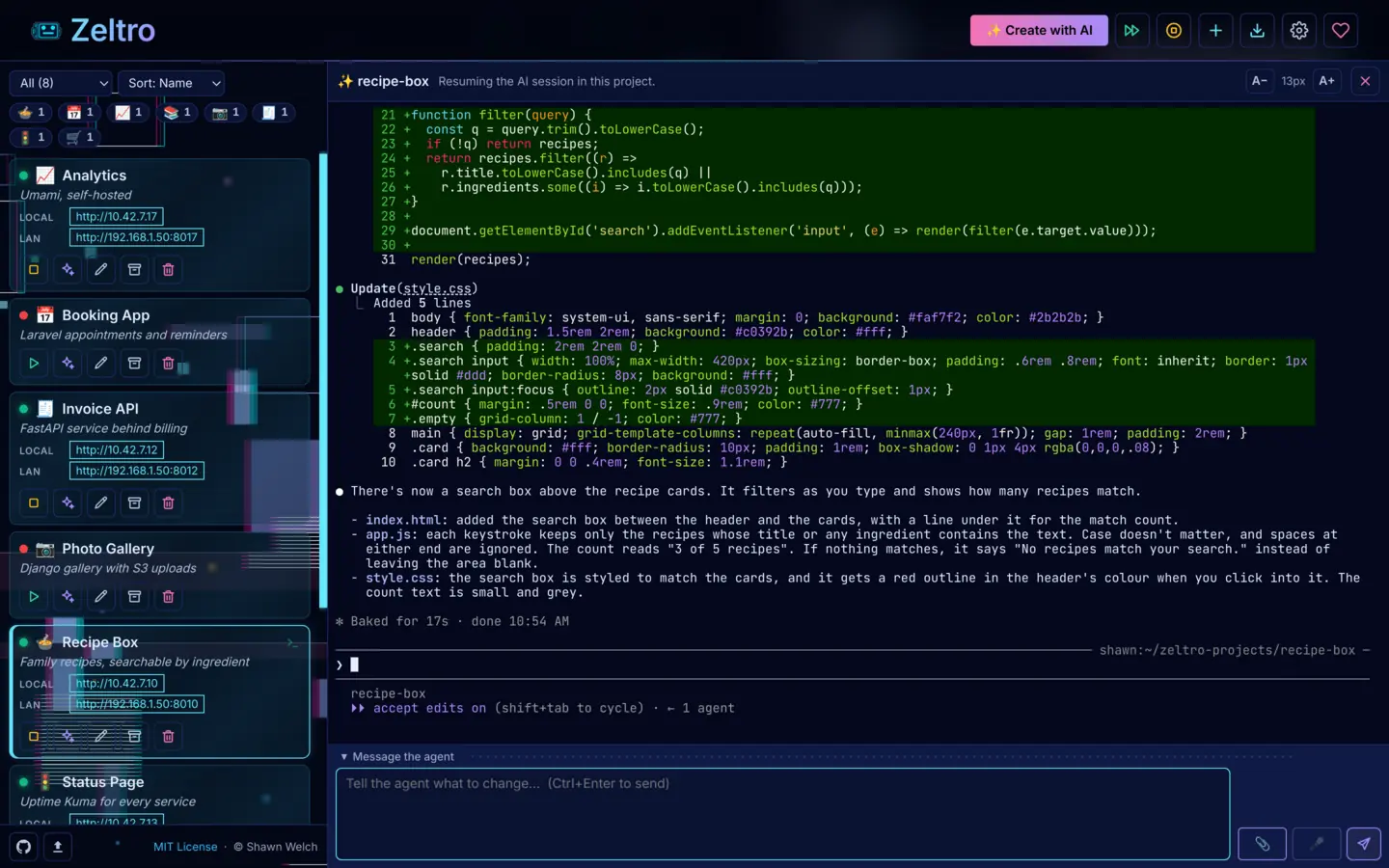
Use the Claude Code, Codex, Gemini, Qwen Code or Aider you already have, or any API key, including OpenRouter or a local model. Pick a different one per session.
Projects are plain folders and git repos on your own machines. There is no platform in the middle, and your code, prompts and keys are never sent to us.
There is nothing to sign up for. Businesses buy a lifetime license for US$99.99, once. The command line tool is open source.
Start, stop, edit and hand projects to your AI from one sidebar, on this computer or on any machine you can reach over SSH.
TOUR
Real screenshots of the Zeltro app, with made-up projects. Click any one to see it full size.
CREATE WITH AI
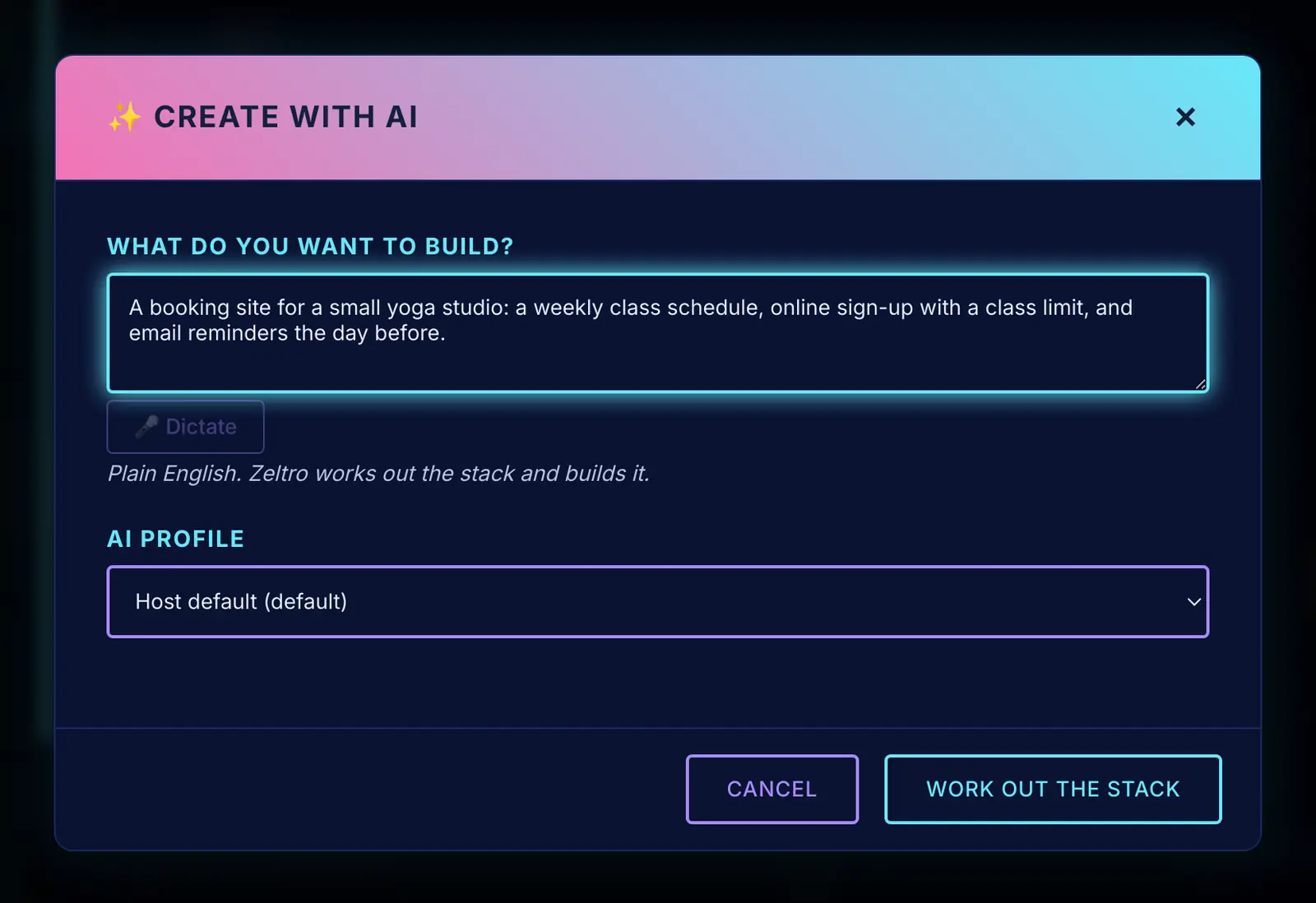
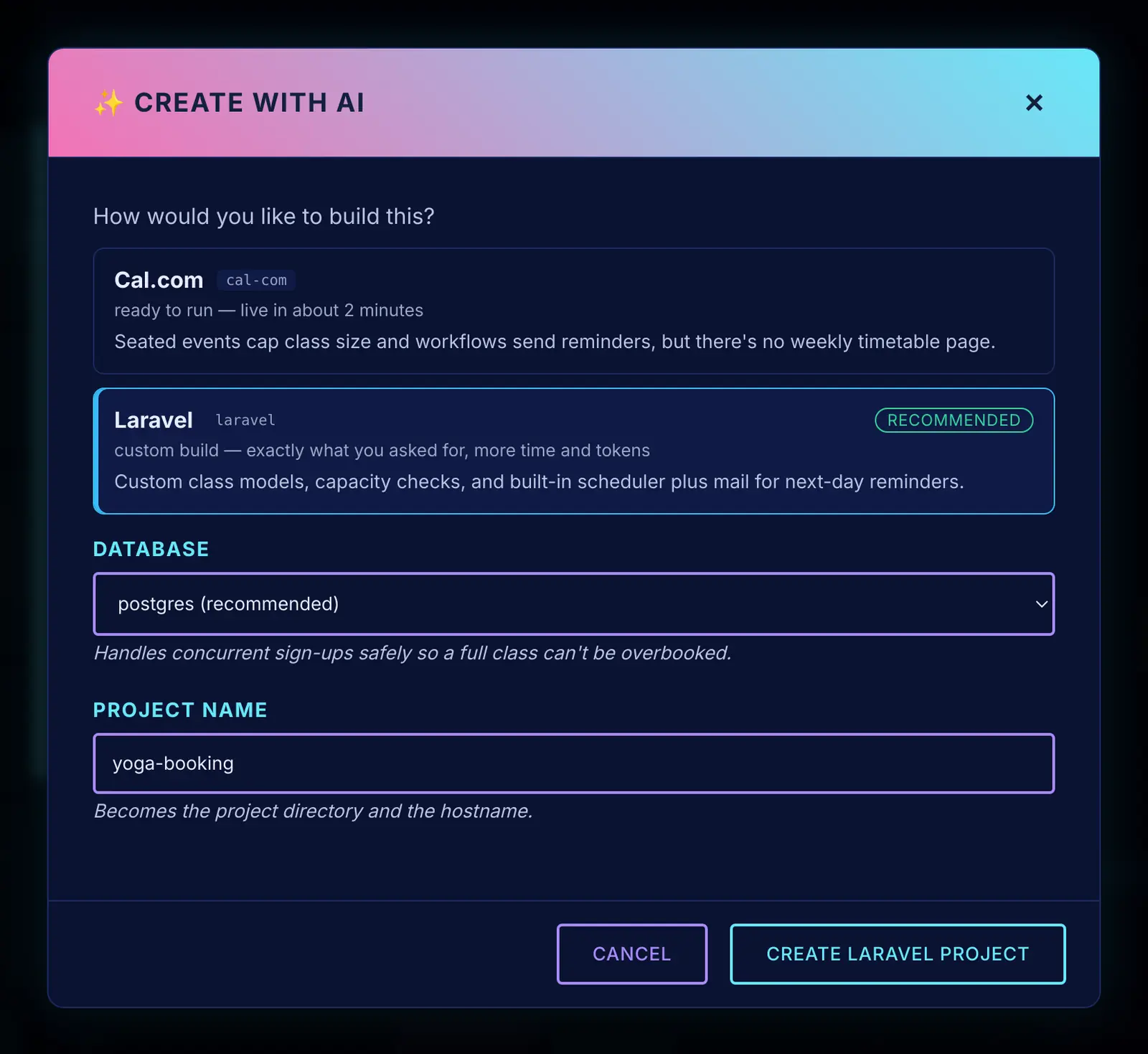
Describe your idea in plain English. Zeltro reads it and suggests how to build it: a ready-made app if one already does the job, or a framework and a database if it needs building from scratch, each with a one-line reason. Pick one and your AI takes it from there.
New to all this? You don’t need to know Laravel from Django. Already have a favourite? Choose it and move on.
THE MESSAGE BOX
Every AI session gets a proper text box underneath it. Draft a long, multi-line request, rearrange it, attach files or dictate, then send it with Ctrl+Enter. No more fighting a terminal’s line editor to fix a typo in paragraph three.
Each project keeps its own session running in the background. Click another project to switch, and come back to find your agent exactly where you left it.

PROJECTS THAT TALK
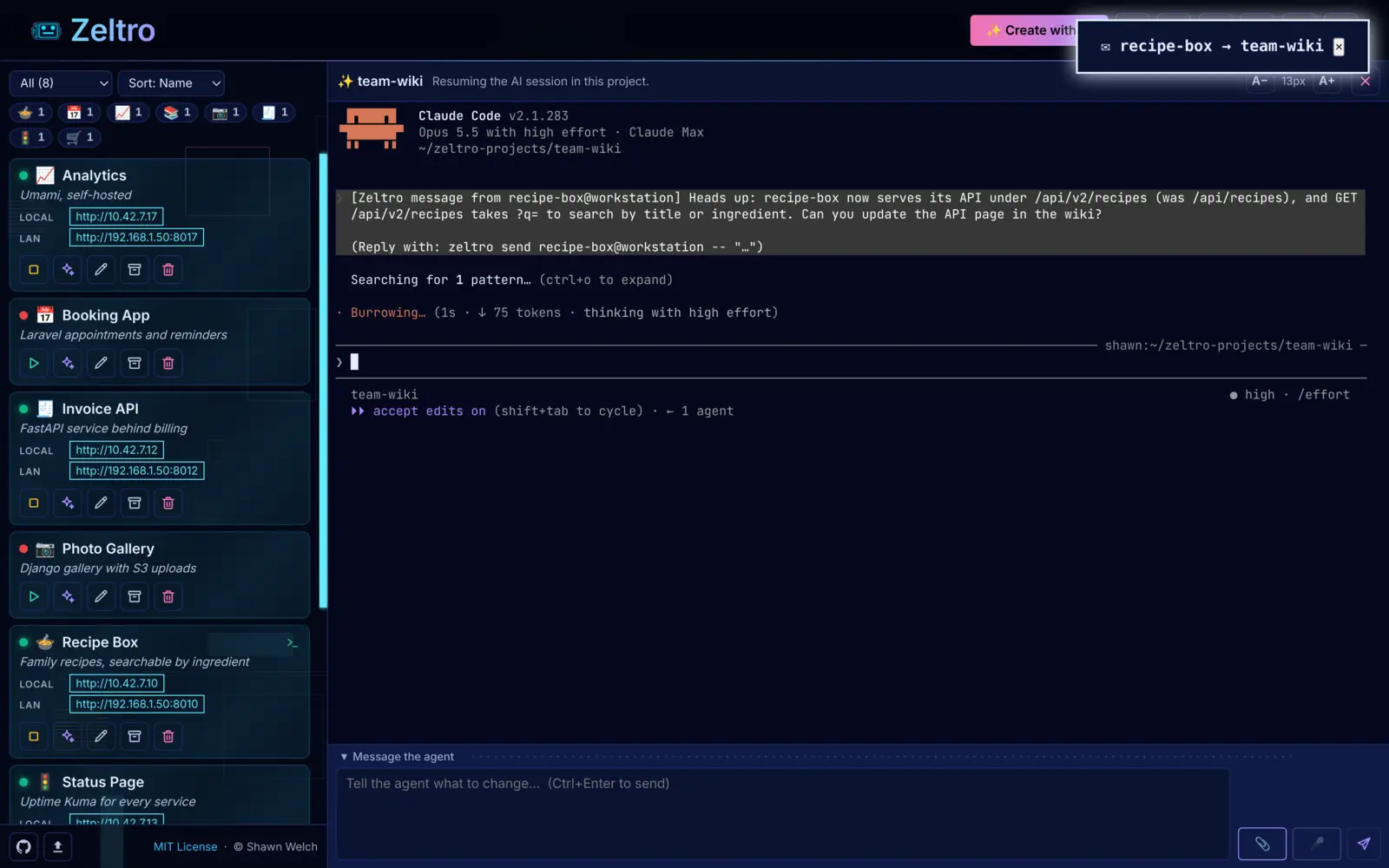
Every project sits on one private network, so your storefront can call your inventory API by its project name, with no ports or addresses to juggle.
The AI agents can talk to each other too. When one project changes its API, its
agent can tell the agents that depend on it, and they update their own code. One
project or all of them, with zeltro peers and zeltro send.
AI PROFILES
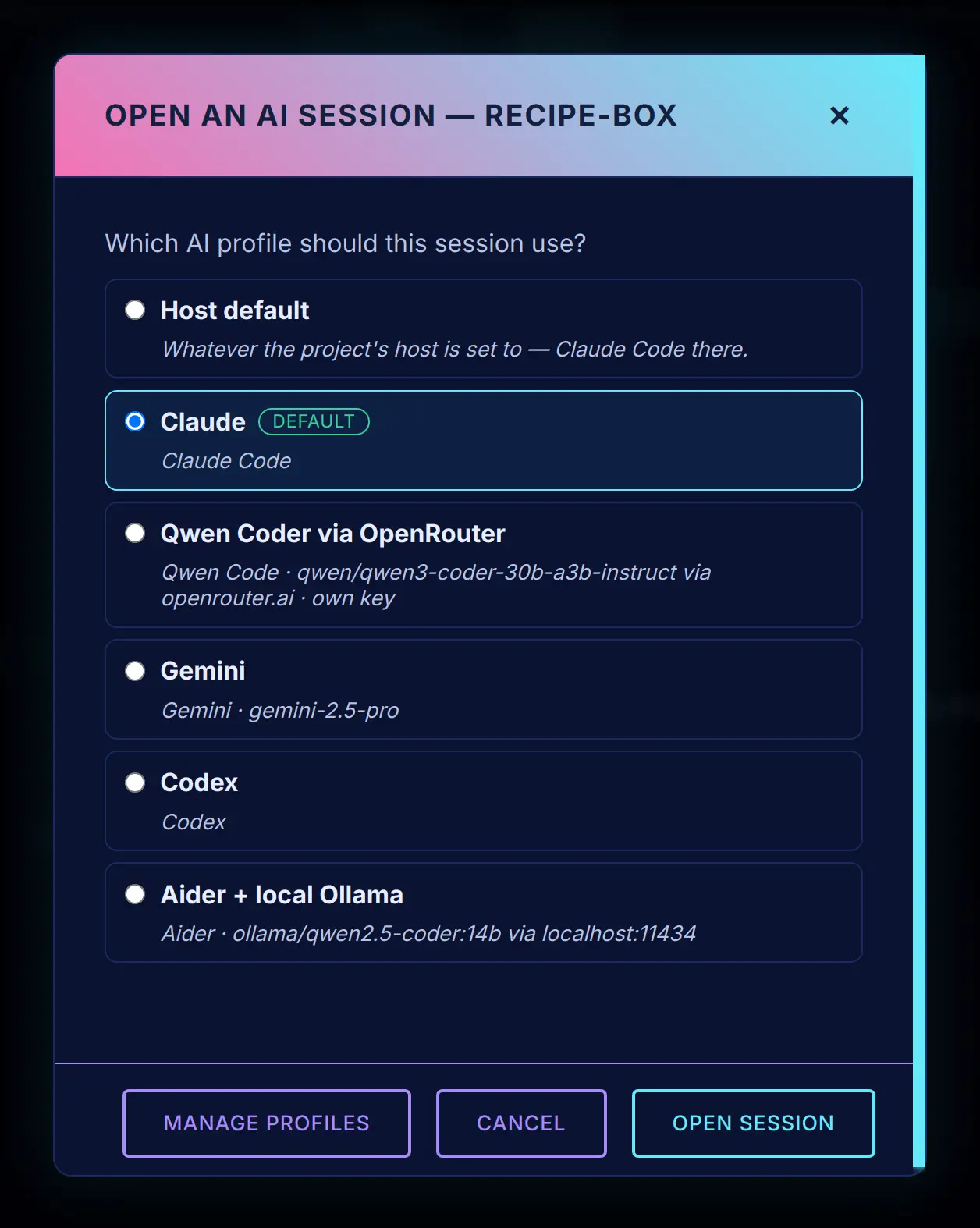
Set up as many profiles as you like: Claude Code, Codex, Gemini, Qwen Code or Aider, each with its own model and, if you want, its own API key. When you open a session, pick the profile for the job.
Working on a client’s project? Give it a profile with the client’s API key, so the tokens land on their bill instead of yours. Use a low-cost model through OpenRouter for small jobs, or a local model that never leaves your machine.
DICTATION
Press the microphone and say what you want changed. Your words land in the message box, where you can tidy them up before sending. It is the fastest way to give an AI a long, detailed request.
Speech recognition runs on your own computer. No audio is uploaded, there is no extra service to pay for, and once its model has downloaded it works offline. Pick the accuracy you want, and English or any of dozens of other languages.
YOUR AI CAN ASK
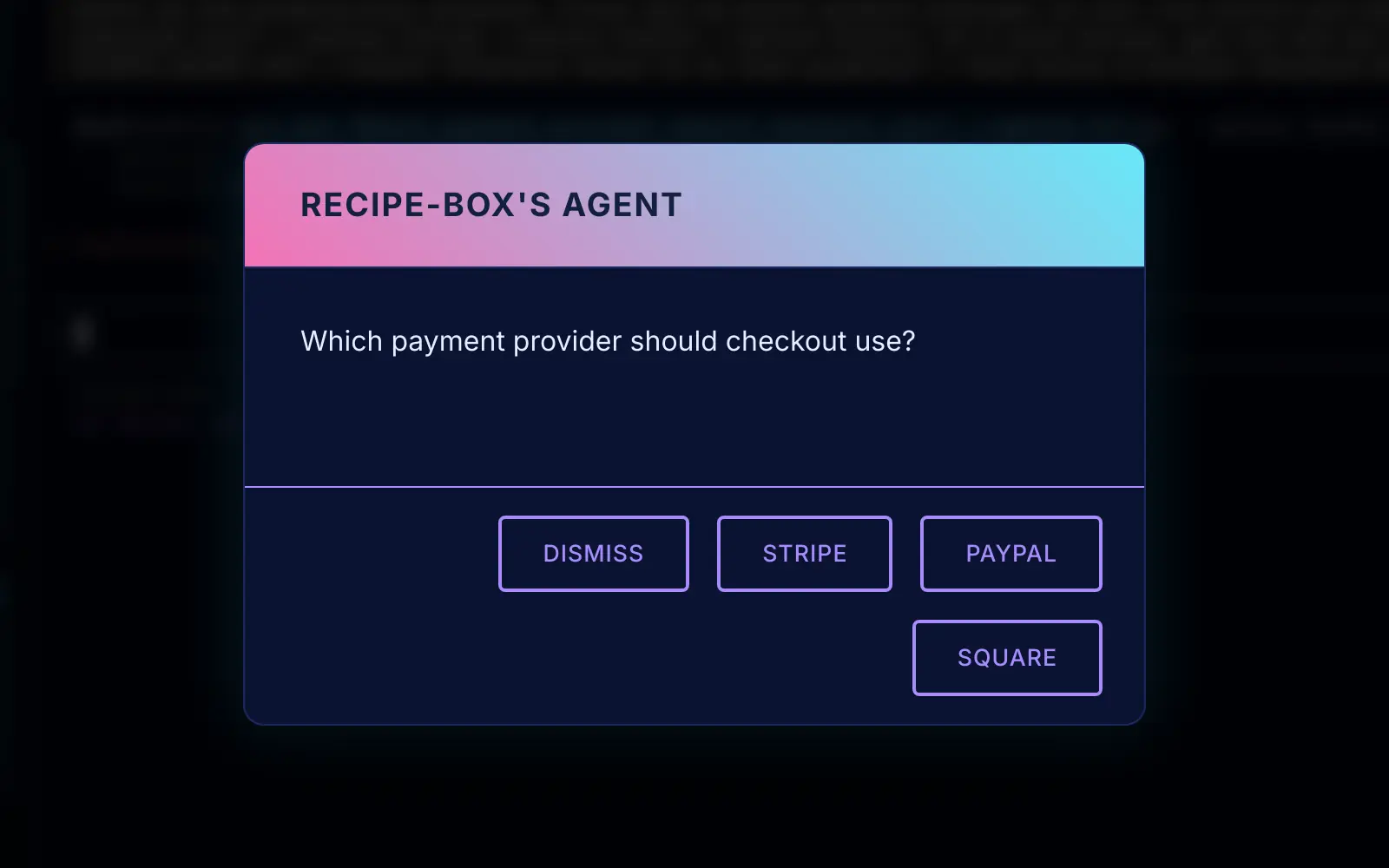
When the agent reaches a real decision, like which payment provider to use, it puts the question in the Zeltro window with the choices as buttons. Click one and it carries on. No scrolling back through a wall of terminal text to find what it asked.
Need an API key? It asks for it in a private box, and Zeltro saves the key straight into the project’s settings file. The agent is only told that it was saved, so the key never goes through the chat.
And you don’t have to sit and watch it work. When a session finishes, its project gets a dot in the sidebar. When one needs you, it gets a pop-up too, so you can get on with something else. None of it costs any AI tokens.
Most of these are a separate product or a weekend of wiring. In Zeltro they are one app, on your own machine.
Every project with a running light and its addresses. Start, stop, edit, hand to your AI, hide or trash it in one click, and filter or sort the list however you like.
Wikis, CRMs, analytics, status pages, file sync and plenty more, each set up and connected to a database for you. Search, name it, install.
One MariaDB, Postgres, MongoDB, Redis and Memcached serve every project instead of a copy each, plus phpMyAdmin, MinIO and Meilisearch when you want them.
Zeltro, Retro, Matrix, Dark and Light, each with its own animated background, and all of them go still if you prefer reduced motion. Scale the interface and the terminal text to taste.
English, Spanish, Portuguese, French, German, Simplified Chinese, Japanese and Hinglish. Your AI agents are told to reply in your language too.
Everything the app does, its command line tool can do too, if you ever want to script it. The command line is open source under MIT.
REMOTE MACHINES
Add a cloud server, such as an AWS EC2 instance or a DigitalOcean droplet, a machine in the office, or a Raspberry Pi. Zeltro connects to it over SSH, and its projects show up in your list next to your own, with a badge saying where each one lives.
Start and stop them, run AI sessions on them and manage their services, all from the same window. The other machine just needs Zeltro installed; then add it under Settings → Remotes.
One command installs the Zeltro app and everything it needs. Pick your platform.
curl -fsSL https://dist.canebaycomputers.com/zeltro/ubuntu | bashRun it as your normal user. When it finishes, log out and back in once, then open Zeltro and it walks you through the rest. It adds Zeltro’s signed package repository, so updates arrive with your normal system updates.
curl -fsSL https://dist.canebaycomputers.com/zeltro/mac | bashPaste it into Terminal. It sets up everything Zeltro needs (Homebrew and Docker Desktop, if you don’t have them), then installs the app for Apple Silicon or Intel, macOS 12 or later. Already use Homebrew? brew install --cask canebaycomputers/zeltro/zeltro does the same. Updates come from Updates in the app, or brew upgrade --cask zeltro.
Windows may say it “protected your PC” because the installer isn’t code-signed yet: choose More info → Run anyway. Then add a Linux or Mac machine under Settings → Remotes to run your projects on. Running Zeltro inside WSL2 on the same PC is built in too, and still in preview.
Prefer the terminal? The command line tool installs on its own too — see Zeltro for the terminal.
Running it yourself is the point — but if you would rather not, I will do it for you.
Tell me what you want to build, or what you have already built, and I will take it the rest of the way: set the project up properly, put it on a server with your own domain and a certificate, and keep it running and backed up. You get a working site and someone to call when something breaks — no dashboards to learn, no platform to sign up for.
Every project is different, so there is no price list. Tell me what you have in mind and I will tell you what it costs. If it is a bad fit I will say so.
Cane Bay Computers & Mobile · Summerville, South Carolina · Mon–Fri 10–6, Sat 10–5
Zeltro does three things, and they reinforce each other.
One zeltro-postgres, one zeltro-redis, one
zeltro-mariadb, used by every project on the machine.
Run ten projects, you've still got one of each. Every project sits on
the same Docker network and resolves by name there, so a Laravel
app and a FastAPI service can share a database without wiring any networks by hand.
zeltro install grafana — fully configured,
running, and reachable at the address Zeltro assigns it, in under two minutes.
Or scaffold a fresh Laravel, FastAPI, Django, or Express project with
zeltro new. No env-var spelunking. No
"why isn't db:5432 resolving" debugging. No copy-pasting
docker-compose files from someone's gist.
Zeltro's command surface is shaped around AI-driven development. Your agent gets a stable platform — shared services, one network, three known runtime images — so it focuses on the actual app instead of reinventing the runtime. Works with Claude Code, Codex, Gemini, Qwen Code and Aider.
WHY ZELTRO
You can. It'll just do it slowly, expensively, and a little differently every time. Zeltro is the durable substrate underneath — with or without an agent driving it.
http://django-app/ by name.zeltro status; same names and credentials on every machine.zeltro update-installer regenerates installers when upstream drifts. The platform self-maintains.Zeltro isn't competing with your AI agent. It's the workshop your agent works in — tested tools, shared resources, predictable setup — so the agent (and you) skip rebuilding the workshop every time.
Everything the app does is also a zeltro command, which suits scripts, servers and AI agents. You never need it to use the app.
The app is free for personal use, and every feature works for everyone. If your business uses it, a lifetime commercial license is US$99.99, paid once. It covers everyone in the business and every future version, and turns off the app’s license reminder.
Every one of these installs from the app library in a couple of clicks, wired to the shared databases. Click one to see its terminal command too.